Adding a maximum capacity for an Agenda item
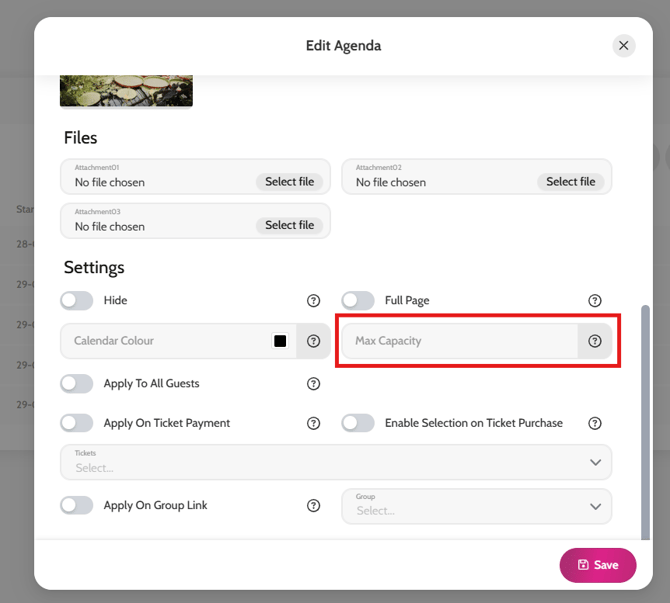
You can limit any agenda items to a maximum number of attendees when you are letting the guests choose their own agenda items. Simply follow these steps.
- Go to All Pages > Agendas
- Click on + Add agenda
- If you have already created agenda items, simply click on the agenda name to Edit it
- Scroll down to Settings and add the maximum number of attendees in the Max Capacity field
- Click Save
Adding a maximum capacity for an agenda item