Adding offline ticket sales to your event
If you have sold tickets offline and would like to add them to your event simply follow these steps.
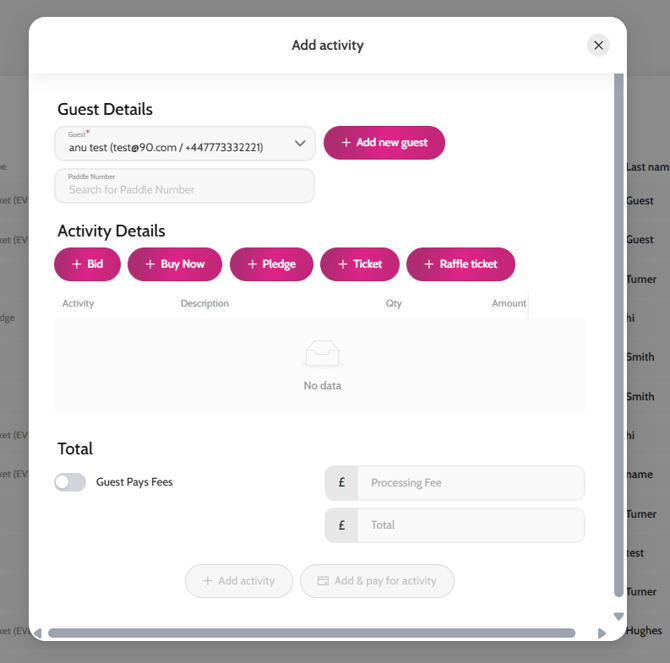
- Go to Activity
- Click + Add activity
- In the Guest field search for the guest’s name (if they have already signed up to your event) or click +Add new guest
- Click + Ticket
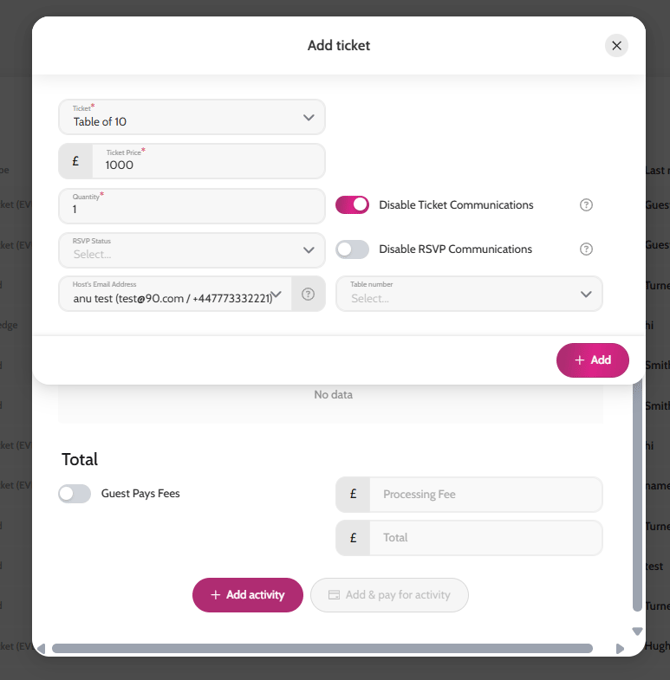
- Choose the ticket type you sold offline and want to record it against
- Write the amount in Ticket price, and add in the quantity of tickets sold
- If you do not want the guest to receive any communications related to the ticket purchase then toggle on “Disable Ticket Communications”
- Click +Add
- Make sure Guest Pays Fees is not enabled since the guest has already paid for the tickets offline
- Click on Add Activity or Add & Pay for activity* if you’d like to mark it paid straight away
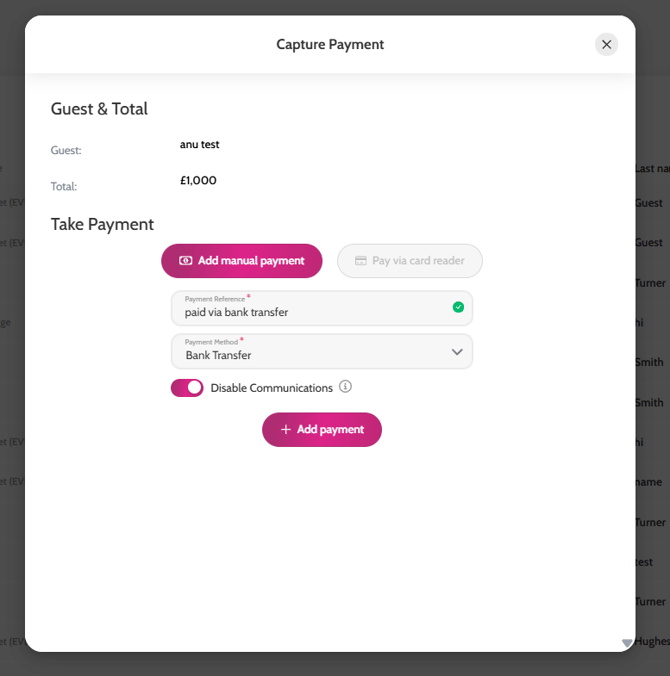
- * Click on Add manual payment
- Complete the Payment reference field (for internal purposes only) and the Payment type
- Make sure to toggle on “Disable Communication” if you do not want the guest to receive the payment confirmation with the PDF receipt
- Click + Add payment > + Add Activity
Adding offline ticket sales
Marking the ticket paid while adding it