Skip to Content
Manually adding missing guest information
You can manually add any missing guest information by following the steps below.
- Go to All Pages > Tickets > Ticketing Overview
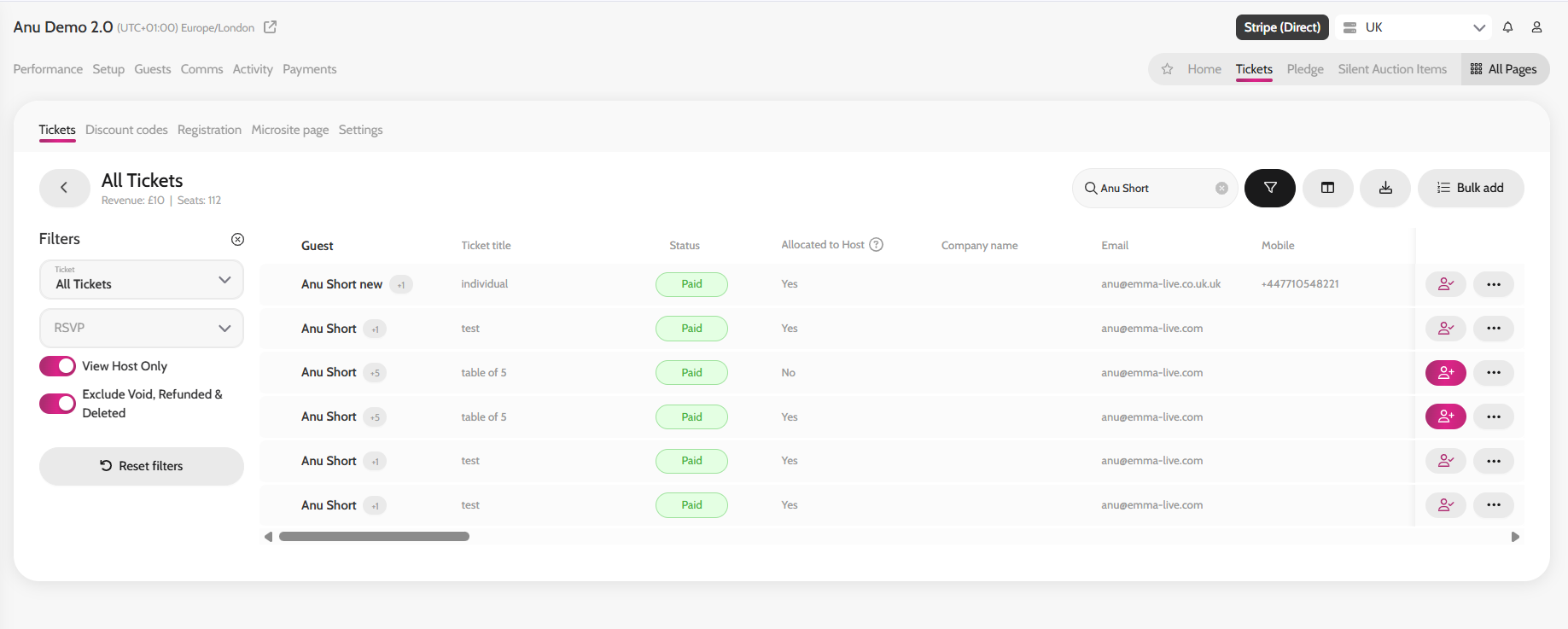
- Click All Tickets
- Search for the table host or the guest name you want to update
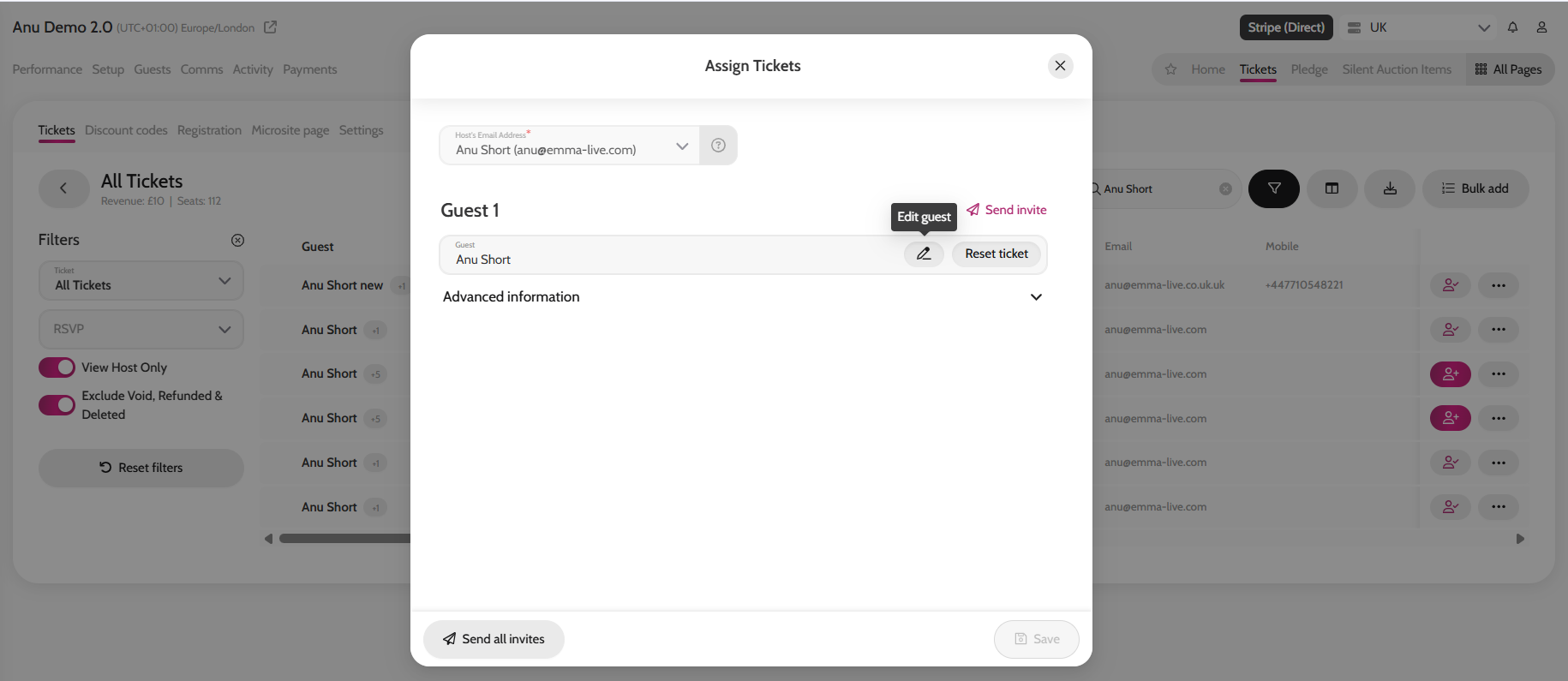
- Click the Person icon (whether it says assign guest or completed)
- Choose the Guest you would like to edit if it's a table of guests
- Click on the Edit guest pen in the guest name field
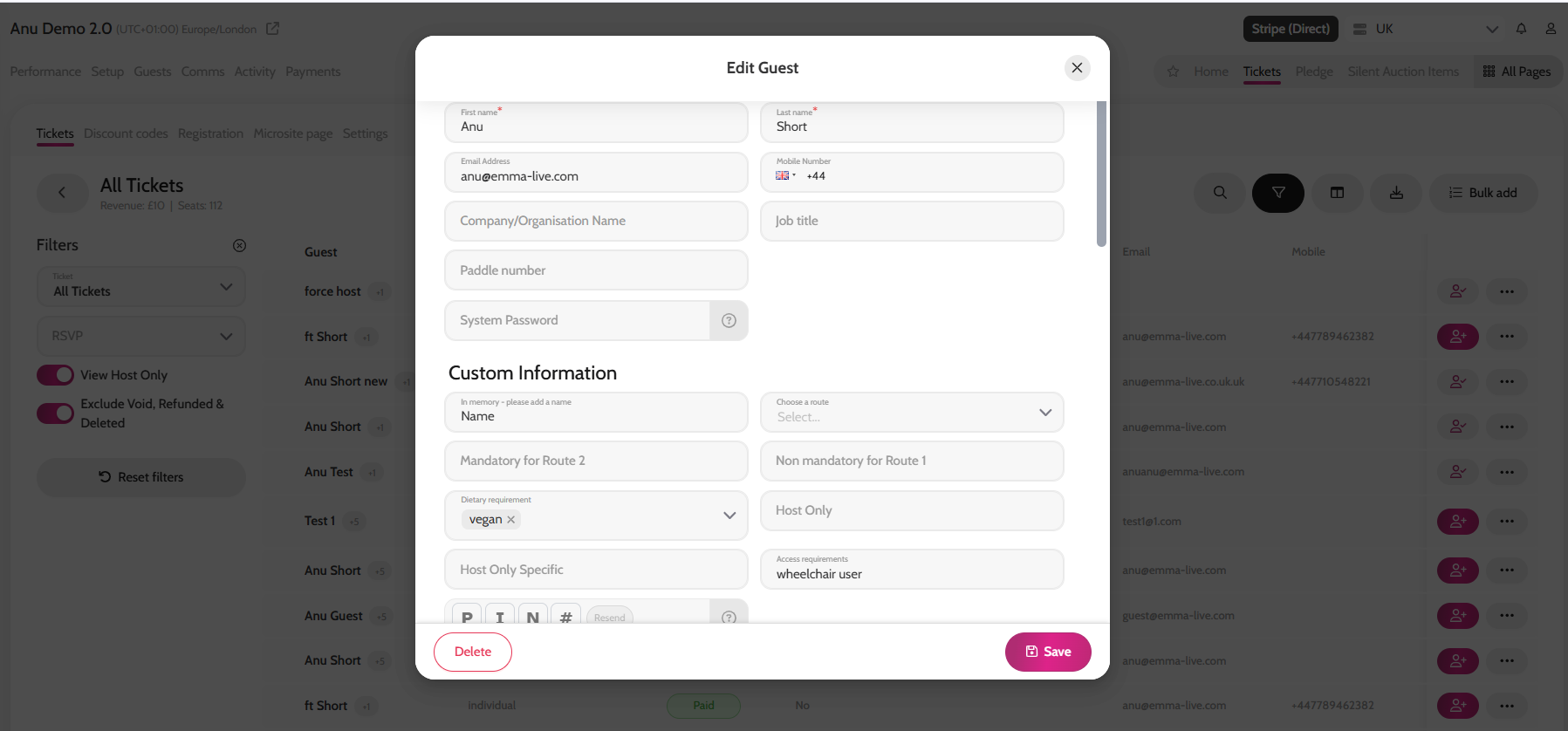
- Complete any missing information for this guest
- Click Save and click Save again
Search for table host or guest name
Adding missing guest information