Skip to Content
Marking auction items paid
When you receive payment for auction items directly, you can mark them paid on Emma by following these steps.
- Go to Payments > Auction
- Filter by All Winning Bids (filter icon on the right)
- Select Status as Unpaid or search for the guest by name
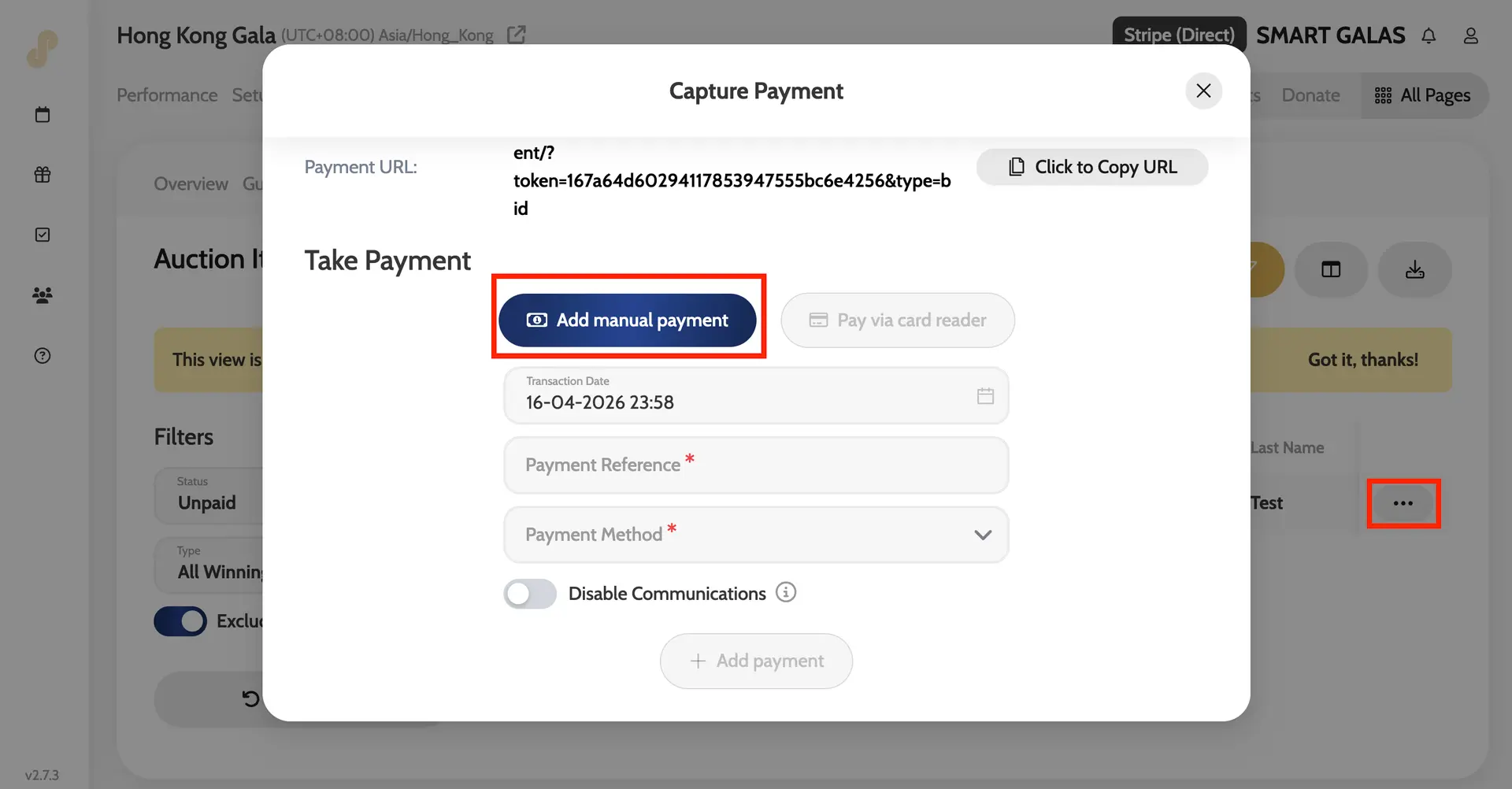
- Click the three dots on the row of the guest’s name and click Pay
- Click Add Manual Payment
- Add in a Payment Reference (e.g. Paid by BACS) and select a Payment Method (toggle on disable communication if you would prefer the guest not be notified that their payment was confirmed)
- Click Add Payment
Marking Auction Items Paid