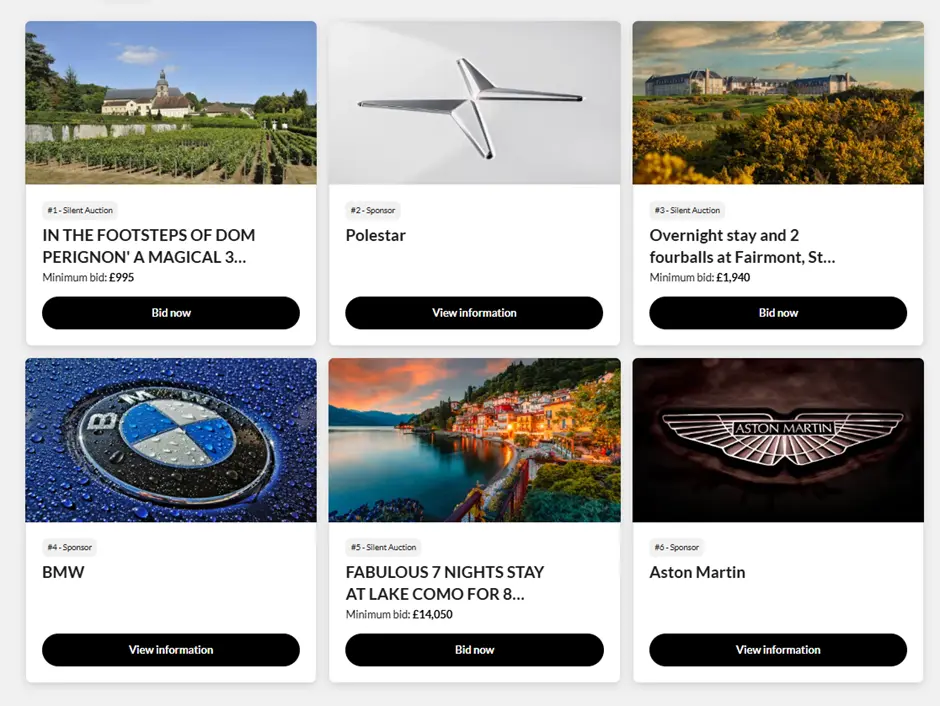
Adding sponsors around auction items
To add sponsor logos around auction items on your event simply follow these steps.
You can display sponsor logos around auction items; this page often gets the most views and therefore it can be great exposure for your sponsors.
- Go to All Auction Items page and click Add auction item.
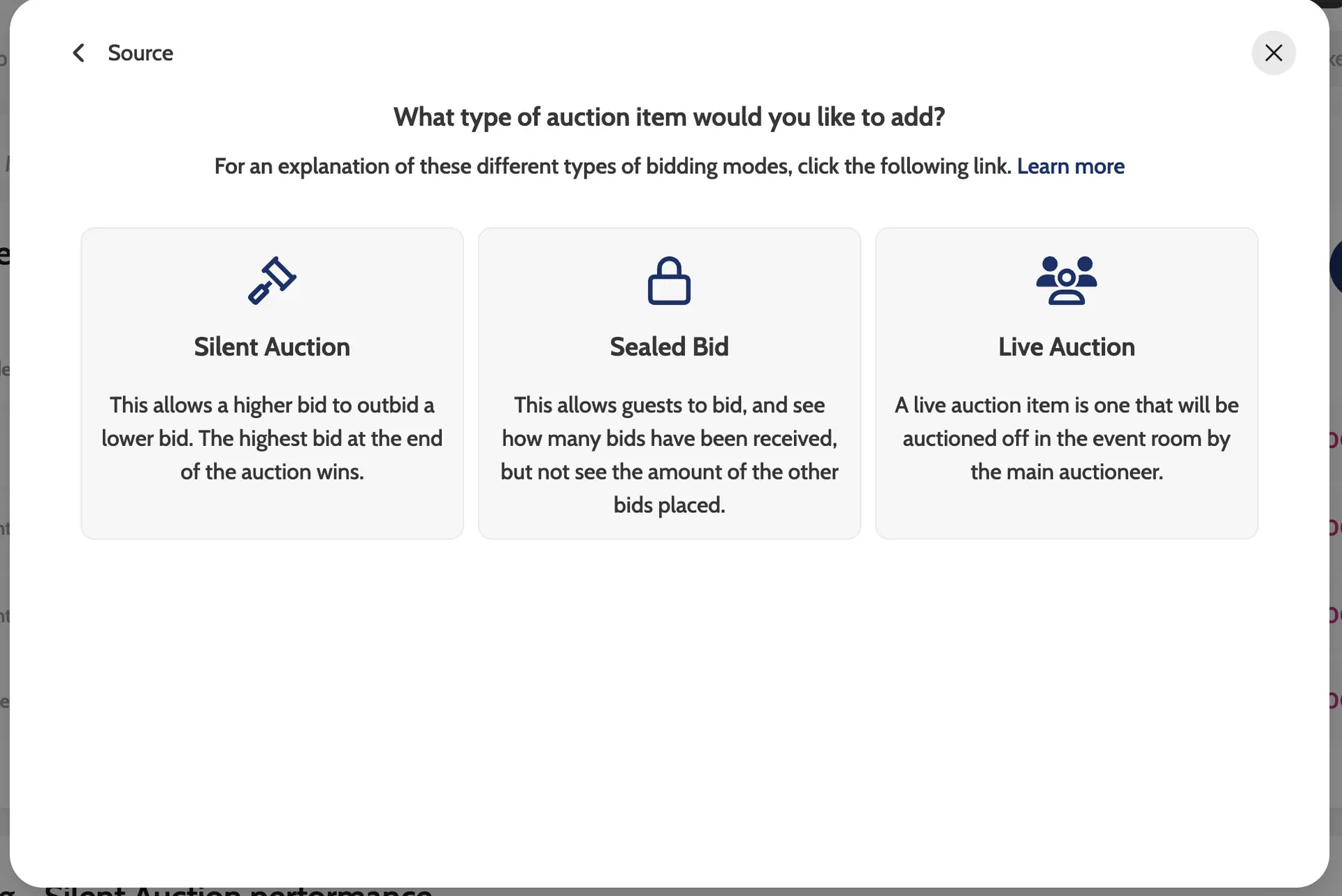
- Choose the bidding mode according to which Auction page you would like your sponsors to appear.
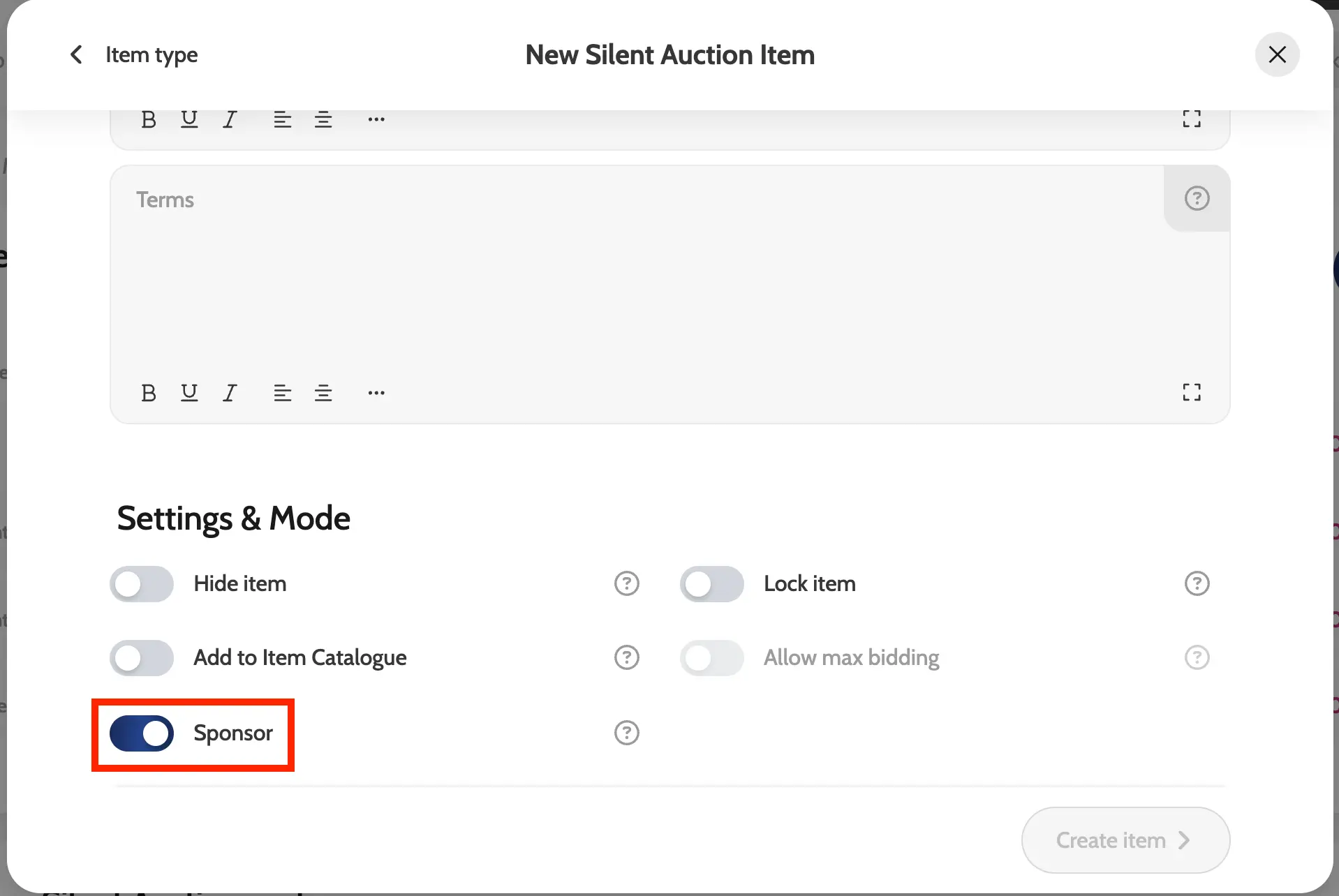
- Scroll to the item settings and toggle on Sponsor.
- Add Sponsor Title, Description, Image and click Create item.
Choosing which auction page you would like your sponsor to appear
Toggle on sponsor
Example of sponsors amongst auction item lots