跳至內容
Assigning tickets to guests
To assign an event ticket to your guests manually from the backend, simply follow these steps.
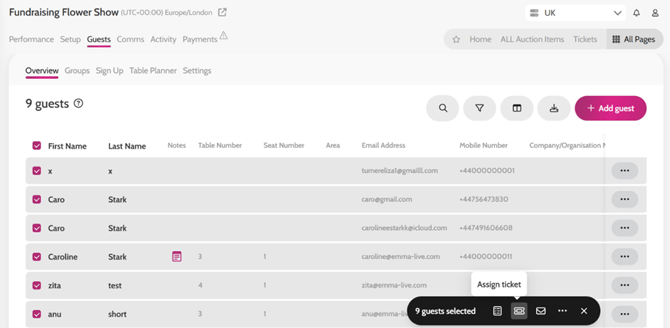
- Go to Guests > Overview
- Search for the guest and select them
- If you have bulk uploaded a guest list simply select all guests
- Go to your Bulk Action tab on the right-hand side > click Assign Ticket icon.
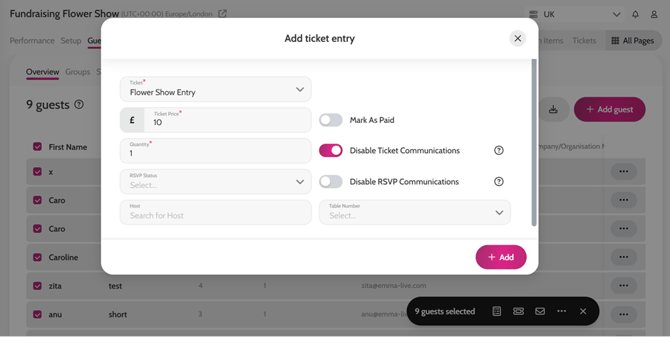
- Select the Ticket from the dropdown, enter the Quantity and Price for that guest
- You can also disable any communication to the guest if you wish at this point
- Click Add
Assigning tickets to guests