跳至內容
Creating a private ticket
If you wish to create a private ticket that can only be accessed via a private link you can directly send to a guest, simply follow these steps.
- Go to All Pages > Tickets > Ticketing Overview
- Click on ‘Create Ticket’
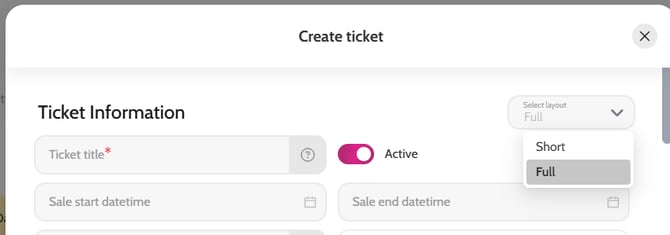
- Select the Full layout form (top right)
- Complete all relevant fields (e.g. ticket name, sale start and end time, seat count, quantity of seats available, short description, longer description, image, price etc)
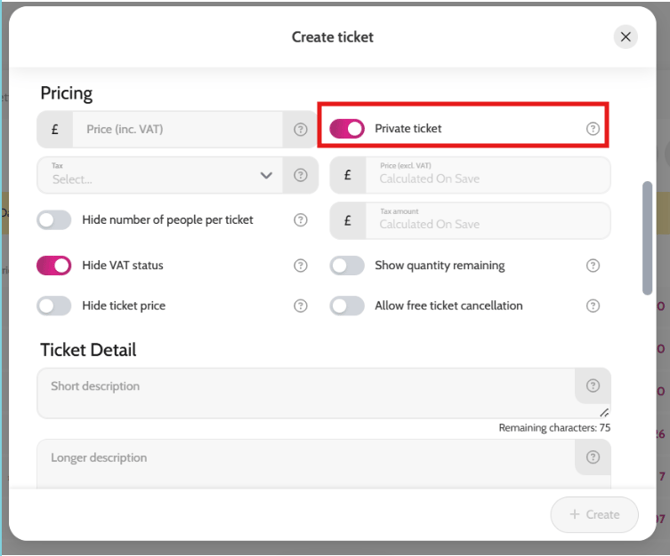
- Enable the “Private Ticket” toggle (under Pricing)
- Click ‘Create’
- Once you have created the ticket, click on the ticket name in your tickets list
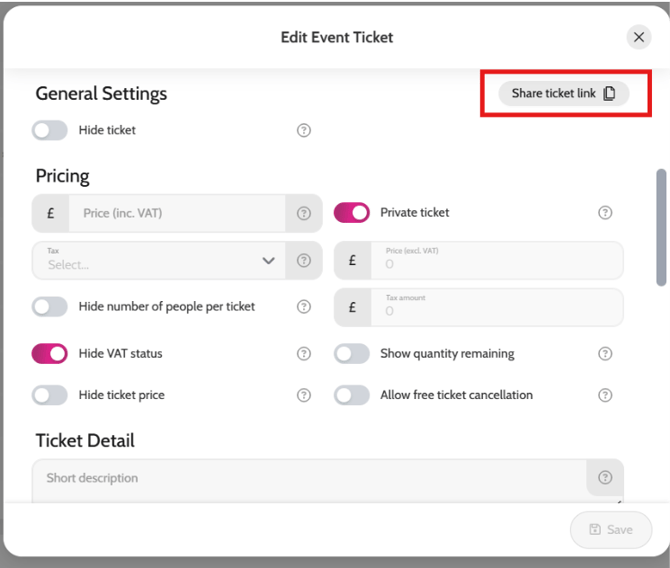
- A “Ticket Share Link” button will appear at the top right – click on it to copy the link and then share with your guest(s)
Creating a private ticket
Private ticket link for sharing with guest(s)