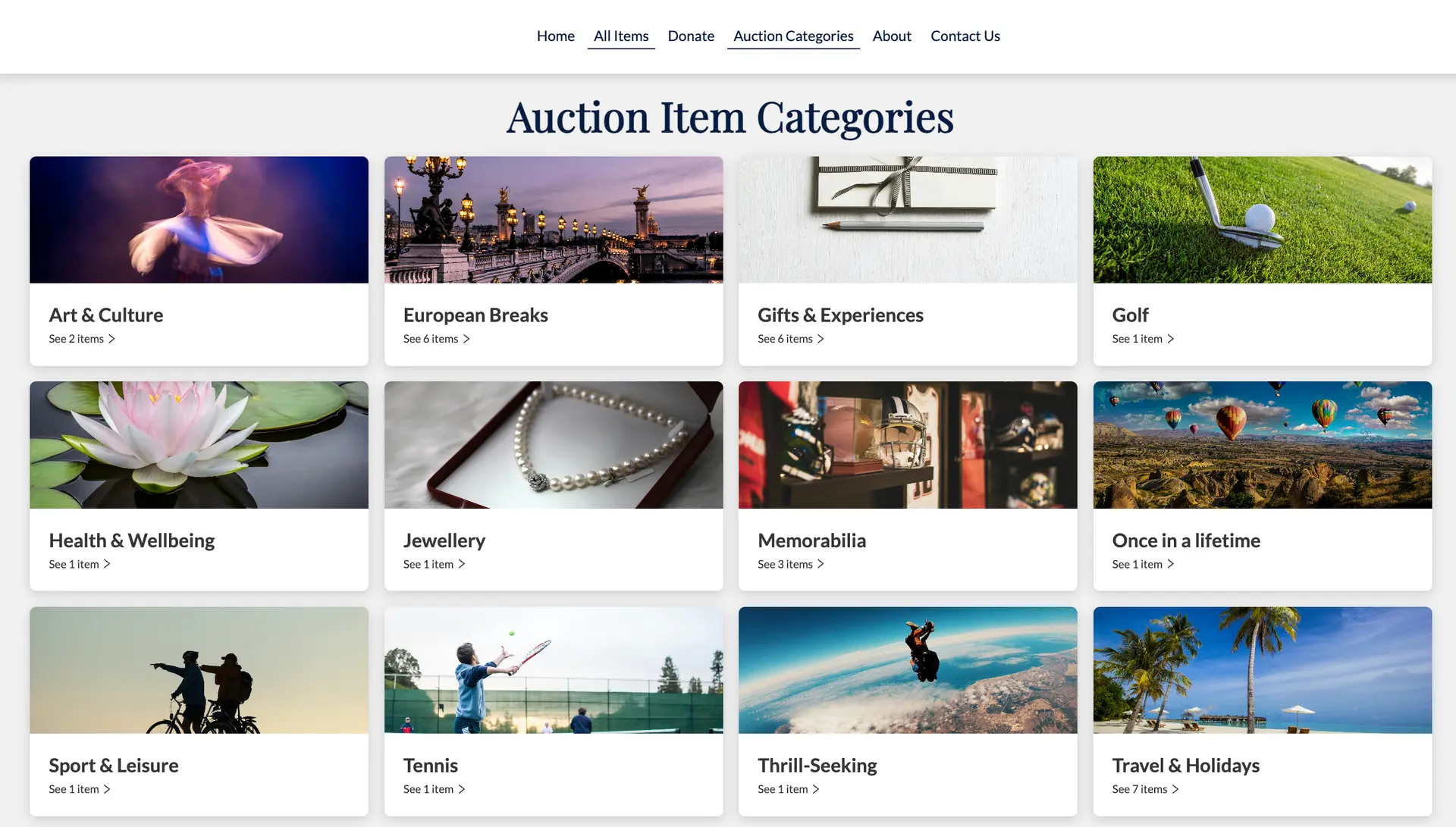
How to add categories
To add your own Auction Item Categories, please follow the steps below
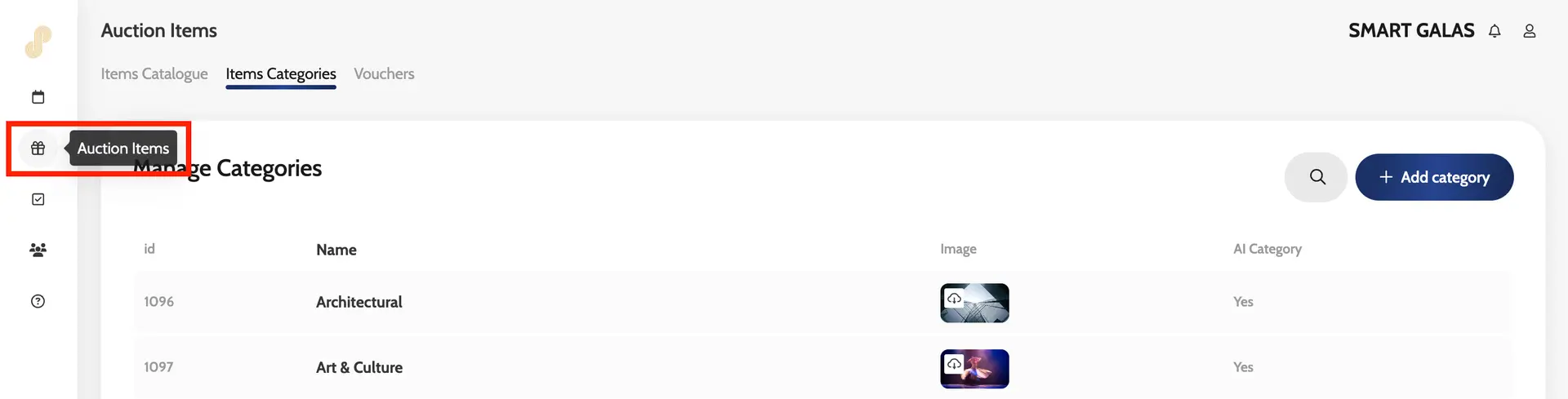
- Go to the left-hand dashboard and click the Auction Items icon
- Click Item Categories from the menu
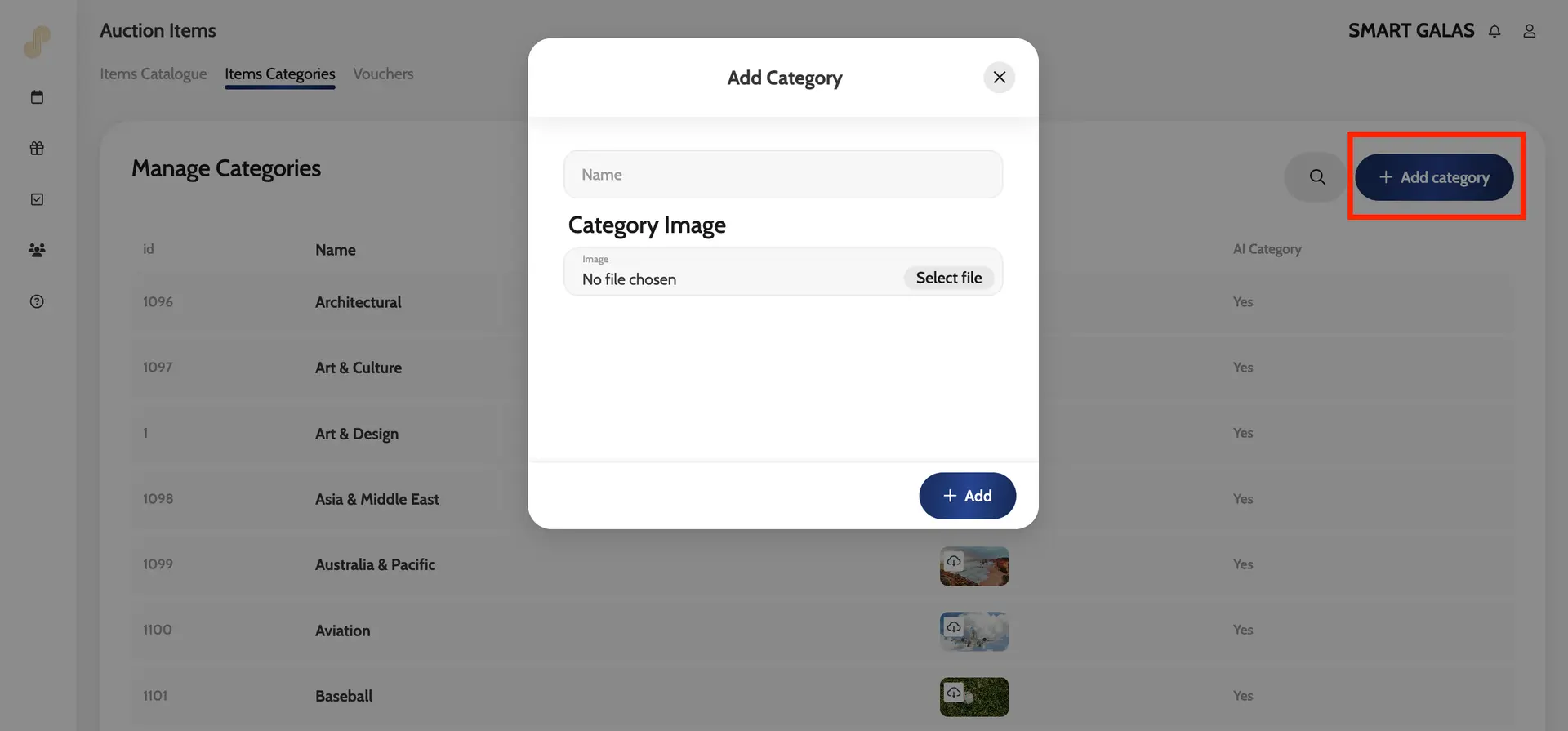
- Click + Add Category
- Enter a category name and image if you will be showing a categories page on the site
- Click Add
The new category will be added to the categories drop-down (when you add or edit an auction item) alongside the Emma default categories
Left-hand dashboard
Adding a category
Example of a categories page