How to create a heads or tails page
Head or Tails is a fun way to fundraise at your event, please follow the steps below to create your page.
Set up the Heads or Tails entry as a Buy Now item
To add the Buy Now item to your event go to right-hand menu > All Pages > click the Buy Now Items page
- Click Add Buy Now Item > Create a new item
- Complete the required fields
- Click Create Item
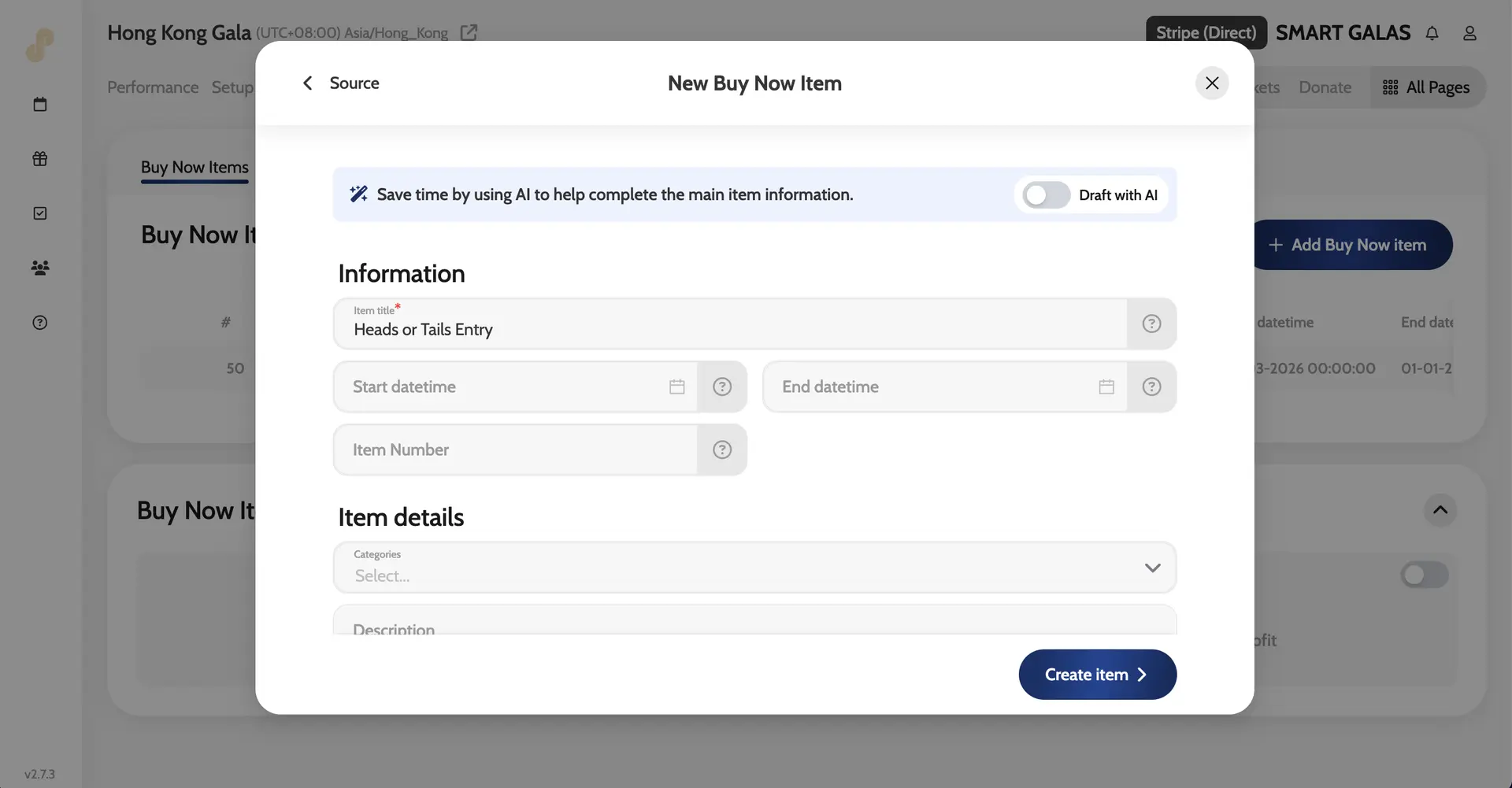
Edit the Buy Now Items microsite page Menu title
- Go to All Pages > Buy Now Items > Microsite page > click the Edit Pencil Icon
- Enter Heads or Tails in the Menu Title field.
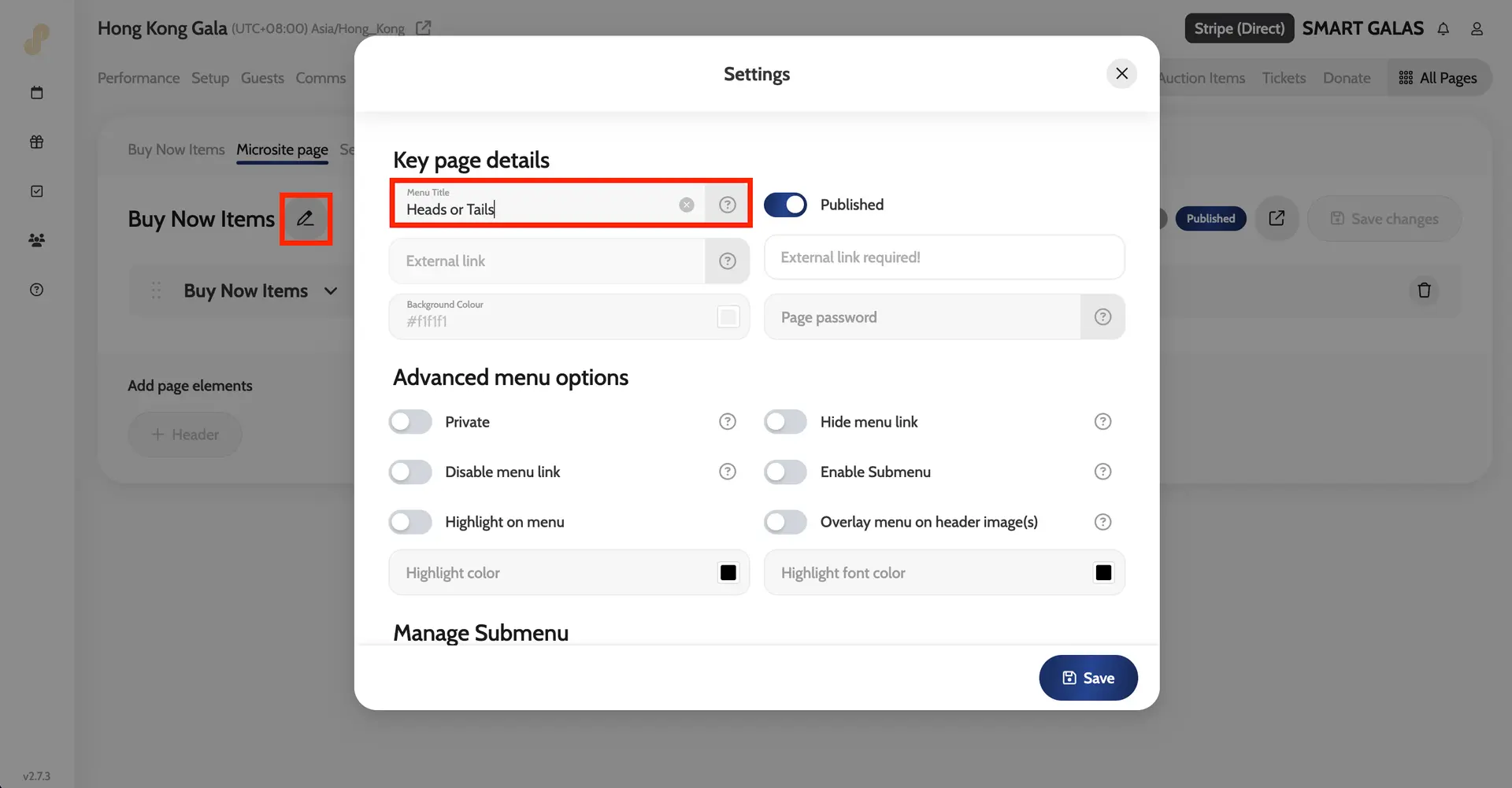
Heads or Tails Entry on the microsite